3 Aug 2026
Virtual Try-On with Nano Banana: Step-by-Step Guide (2026)
Introduction
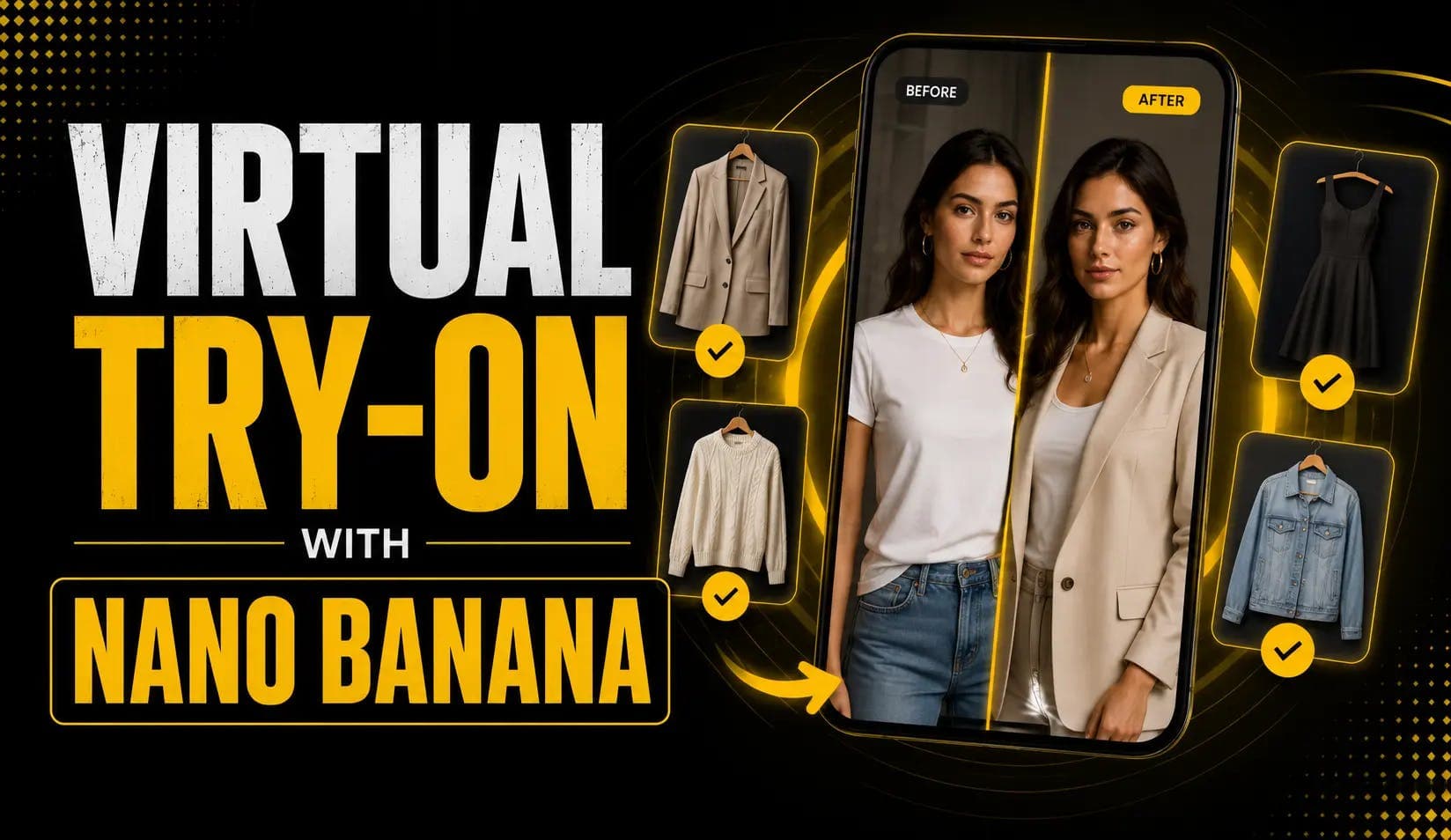
Nearly one in five online purchases gets returned, and "it didn't look like the photo" is near the top of the reason list. Virtual try-on attacks that problem directly: let shoppers see an outfit on their body before they buy. Nano Banana makes this genuinely realistic — it swaps clothing while keeping the face, pose, and lighting intact, in seconds.
Whether you're a shopper curious about the feature, a store owner cutting returns, or a developer wiring up an API, this guide covers all three paths for 2026.
Why Nano Banana Is Good at Try-On
Virtual try-on lives or dies on one thing: does the person still look like themselves? Nano Banana keeps faces and poses consistent while editing only the clothing — which is exactly what a believable try-on needs.
Google built this directly into its own products. At Google I/O 2025 (May 20), it launched try-on-yourself in AI Mode, letting shoppers upload a photo and virtually try billions of apparel listings. Its Shopping Graph spans 50B+ product listings, refreshed 2 billion times per hour, per the official announcement. The model understands how materials fold, stretch, and drape on different body types.
In December 2025, Google upgraded try-on to work from just a selfie — Nano Banana generates a full-body digital version of you — as TechCrunch reported, rolling out with Macy's, Kohl's, Walmart, and Nordstrom.
Three Paths to Virtual Try-On
Pick the path that matches your situation:
Path 1 — Consumer / No-code: Google Search (g.co/shop/tryon)
Path 2 — Manual: Outfit swap in the Gemini app
Path 3 — Developer: API integration via Gemini API or AI Studio
Path 1 — No Code Required
Consumer Try-On
If you just want to try clothes on yourself, this is the fastest route. Per Google's studio-quality try-on post, no subscription is required. Available in the U.S. in Search Labs.
- Go to g.co/shop/tryon (U.S., available in Search Labs).
- Upload a selfie or full-length photo.
- Select your usual size.
- Google generates studio-quality images of you in the item.
- Set it as default and shop across Search, Shopping, and Images.
For best results, use a well-lit, front-facing photo taken at full-body or three-quarter length. Natural daylight works better than harsh indoor lighting.
Path 2 — In the Gemini App
Manual Outfit Swap
Want to swap a specific garment onto a specific photo? Do it manually in Gemini:
- Upload the person photo first — clean, front-facing or 3/4, well-lit.
- Add the garment reference image as a second upload in the same turn.
- Prompt to preserve identity — explicitly name everything that must not change: face, hairstyle, pose, body proportions, camera angle, and lighting.
- Regenerate if needed — pass one gets the outfit shape, pass two refines texture and fit. Never make multiple changes in the same pass.
Copy-Paste Prompts That Work
For a direct outfit swap (two-image input):
Place the clothes from Image 2 onto the model in Image 1. Ensure the outfit fits naturally, preserving the model's pose, lighting, face, hairstyle, and body proportions.
For a specific garment with fabric detail:
Keep the person, face, and pose from Image 1 unchanged. Replace only their outfit with the red midi dress from Image 2. Match realistic fabric drape and shadows.
If the first pass gets the outfit shape right but the texture is off, do a second pass asking only to refine the fabric detail — don't change the prompt variables that worked.
Path 3 — Build It Into Your Store or App
Developer API Workflow
Building try-on into a store or app? Use the Gemini API or Google AI Studio. For the full onboarding, see getting started with the Nano Banana API. This is the same imaging stack behind product photography with Nano Banana.
- Free tier: up to 500 images/day at 1024×1024, no card required
- Paid: $0.039 per image (1,290 output tokens at $30/1M)
- Enterprise: Vertex AI for scale and compliance
- Accept a user-uploaded photo and pair it with the product garment image.
- Send both to the Gemini API with an identity-preservation prompt.
- Return the composited try-on result to the shopper.
- Optionally cache results per user × garment to reduce repeated API calls.
How to Keep Faces and Bodies Consistent
The model preserves faces, body posture, and lighting while editing in seconds. These four practices keep the output clean:
- Use high-resolution, well-lit, front-facing full-body photos — the model can't reconstruct what it can't see.
- Prefer fitted clothing over baggy or layered items — the drape simulation is more accurate.
- Avoid crossed arms or extreme angles — these confuse the fit and produce visible seam errors.
- Always include an explicit "keep face and body proportions unchanged" instruction — without it, the model may generalise.
The E-Commerce Business Case
The numbers explain why every major retailer is racing to add this. All figures below are industry estimates or vendor-reported; treat brand-specific numbers as directional rather than independently verified.
| Metric | Figure | Source / Notes |
|---|---|---|
| Online return rate (2025) | ~19.3% of sales | NRF projection (industry estimate) |
| Avg. e-commerce return rate | ~14–19% overall | Industry data |
| Conversion lift from try-on | 20–40% | Vendor case studies |
| Purchase-likelihood lift (AR try-on) | Up to 65% | Vendor case studies |
| Return reduction with try-on | 20–30% typical | Vendor case studies; Warby Parker cited at ~45% |
For a store owner, the math is simple: if returns run ~19% and try-on trims that by even a quarter, the margin recovery is substantial — before counting the conversion lift. The product photography with Nano Banana workflow pairs naturally with try-on to build a complete AI-powered e-commerce imaging stack.
Watch a Full Try-On Walkthrough
This tutorial demonstrates the complete outfit-swap process from photo to result:
▶ Watch:
Also useful:
Frequently Asked Questions
How Does Nano Banana Virtual Try-On Work?
It edits only the clothing in a photo while keeping the person's face, pose, body proportions, and lighting intact. You supply a person photo and a garment image, then prompt the model to swap the outfit realistically. Google also offers a built-in consumer version at g.co/shop/tryon.
Is Nano Banana Virtual Try-On Free?
The consumer feature in Google Search is free with no account required. For developers, the Gemini API offers a free tier of up to 500 images/day at 1024×1024, then $0.039 per image beyond that.
What Photo Works Best for Try-On?
A high-resolution, well-lit, front-facing full-body photo. Fitted clothing and simple standing poses produce the most accurate fit. Baggy layers, crossed arms, and extreme angles all reduce accuracy.
Can I Build Virtual Try-On Into My Store?
Yes. Use the Gemini API or Google AI Studio to pair each user photo with a product image and return a composited try-on. See getting started with the Nano Banana API for the full onboarding. Vertex AI handles enterprise-scale deployment.
Does Virtual Try-On Actually Reduce Returns?
Industry data points to 20–30% typical return reductions and 20–40% conversion lifts from well-implemented try-on. Exact results vary by category and execution quality, and many brand-specific figures come from vendor case studies rather than independent audits.
Start Trying Things On
Try-on has crossed from novelty to expectation — shoppers increasingly assume they can see it on themselves first. Test the consumer path at g.co/shop/tryon with your own selfie today, or if you run a store, wire up the API on a handful of your best-selling products and measure the return-rate difference over a month. The photo that stops a return pays for itself.